Static sites
Publish HTML, CSS, and JS from Git on seenode. Free hosting, a public HTTPS URL, and optional SPA routing.
Last updated September 18, 2026
A static site is hosting for files: HTML, CSS, and JavaScript. You connect a Git repository, seenode runs your build command, and it publishes whatever lands in the publish directory. There is no start command and no container at request time.
This is in Beta. Hosting is $0.
Note (Static vs web)
Use a static site for a frontend, docs site, or SPA that builds to files. Use a web service when you need a long-running process (API, SSR, WebSockets). Static sites cannot pull a Docker image; they are Git-only.
Prerequisites
- A seenode account
- A GitHub or GitLab repository that builds to a folder of static files (
dist,build,out, …)
Create a static site
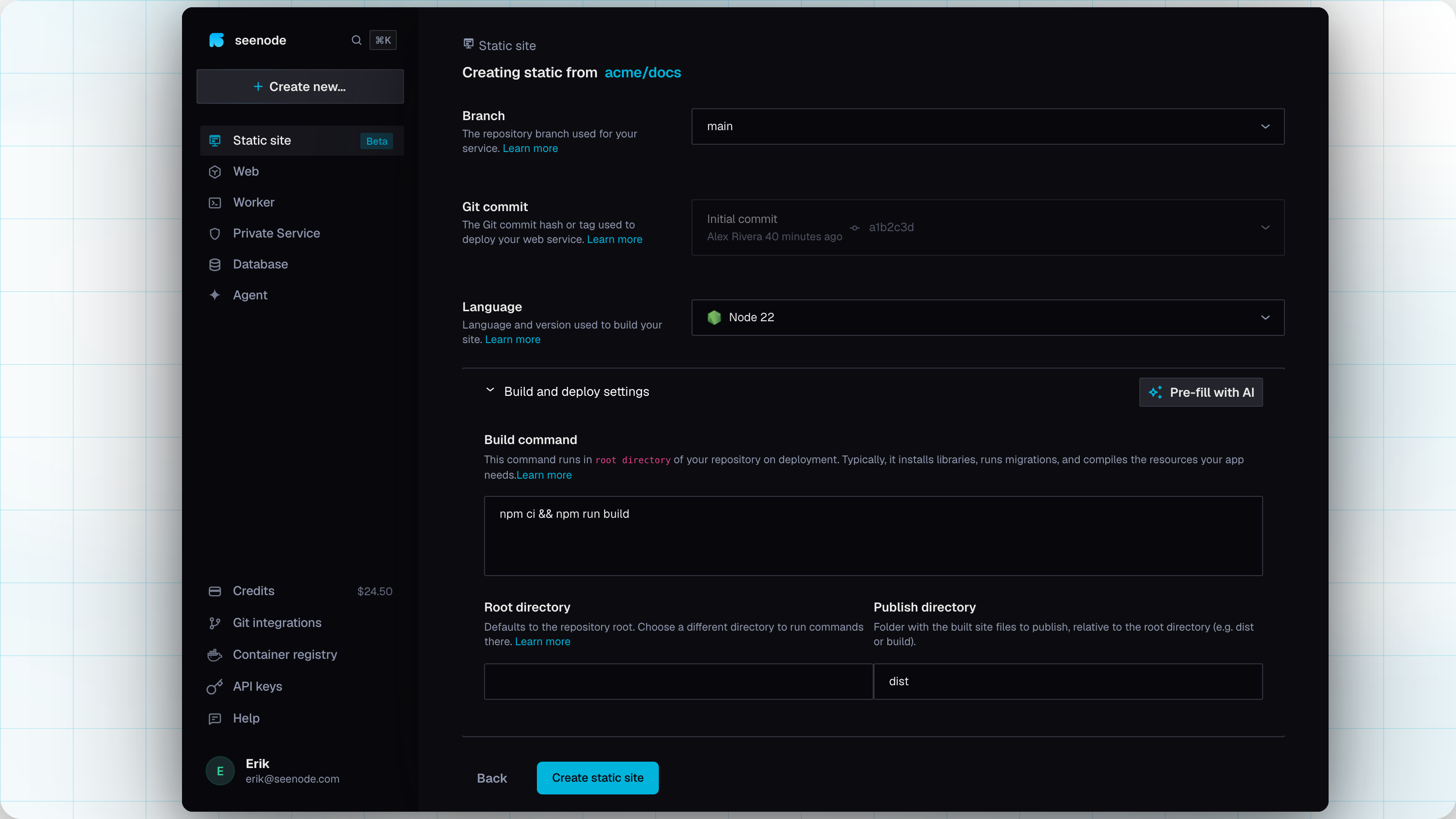
Create a Static site
In the dashboard, choose Static site (or Create new… → Static site) and connect the repository and branch.
Build settings
seenode detects a language when it can. Confirm:
Language — the build container. Defaults to Node 22 if you leave it unset.
Build command — whatever produces the site, for example
npm install && npm run buildPublish directory — folder of built files, relative to the root directory (
dist,build, orout). Required.Client-side routing (SPA) — on by default. Adds a rewrite from
/*to/index.htmlso deep links work. Existing files still win.
Environment variables
Build-time only. They are available while the site is built. They are not exposed when a visitor requests a page. See Environment variables.
Create and wait for the build
Create the site and watch Logs until the build finishes. The site is served at a
*.seenode.appURL with HTTPS.
What seenode does
- Clones the connected branch.
- Runs your build command in an isolated build container (your app env file only — platform secrets are not passed in).
- Uploads the publish directory and serves those files on the public URL.
There is no process to keep alive and no port to set. If a requested path exists as a file, that file is served. If it does not, ordered redirects and rewrites run (SPA fallback is one of those rules).
Routing and headers
Open the Routing tab after create:
- Redirects & rewrites — ordered rules, first match wins, evaluated after an existing file is missing. Types are redirect (301) and rewrite.
- Custom headers — path-scoped response headers (path globs like
/*or/blog/*).
Saving routing or headers updates the live site. It does not rebuild.
Turn Client-side routing (SPA) off at create if you want missing paths to 404 instead of serving index.html.
Custom domains
Static sites use the same Domains tab as web services: a default *.seenode.app hostname, plus your own domain and automatic HTTPS. See Custom domains.
What static sites do not have
- No Docker image source
- No start command, port, replicas, or instance size
- No persistent storage, CPU/memory metrics, or private ClusterIP (
http://…-service) - Env vars are not available at request time (no server-side secrets in the static origin)
Auto-deploy is off by default, same as other Git apps. Enable it in Settings to build on every push.
Related
Deploy a React SPA
Vite or CRA as a static site, with SPA routing on.Environment variables
Build-time keys for static sites; runtime keys for everything else.Custom domains
Point your own domain at a static site or web service.Pricing
Static hosting is $0. Web, worker, and private share instance prices.