Set up a Custom Domain
Point your own domain at a seenode web service or static site, with automatic HTTPS.
Last updated September 18, 2026
Every web service and static site is reachable at a default *.seenode.app URL (new apps use a slug from the Git repo name, for example my-api.seenode.app). You can also point your own domain at it. seenode issues and renews a free Let’s Encrypt certificate, so the domain is served over HTTPS.
Note (Web and static only)
Custom domains apply to web services and static sites. Worker and private services have no public hostname to attach.
Prerequisites
- A deployed web service or static site.
- A domain you own, with access to edit its DNS records.
Add the domain
-
Open the Domains tab
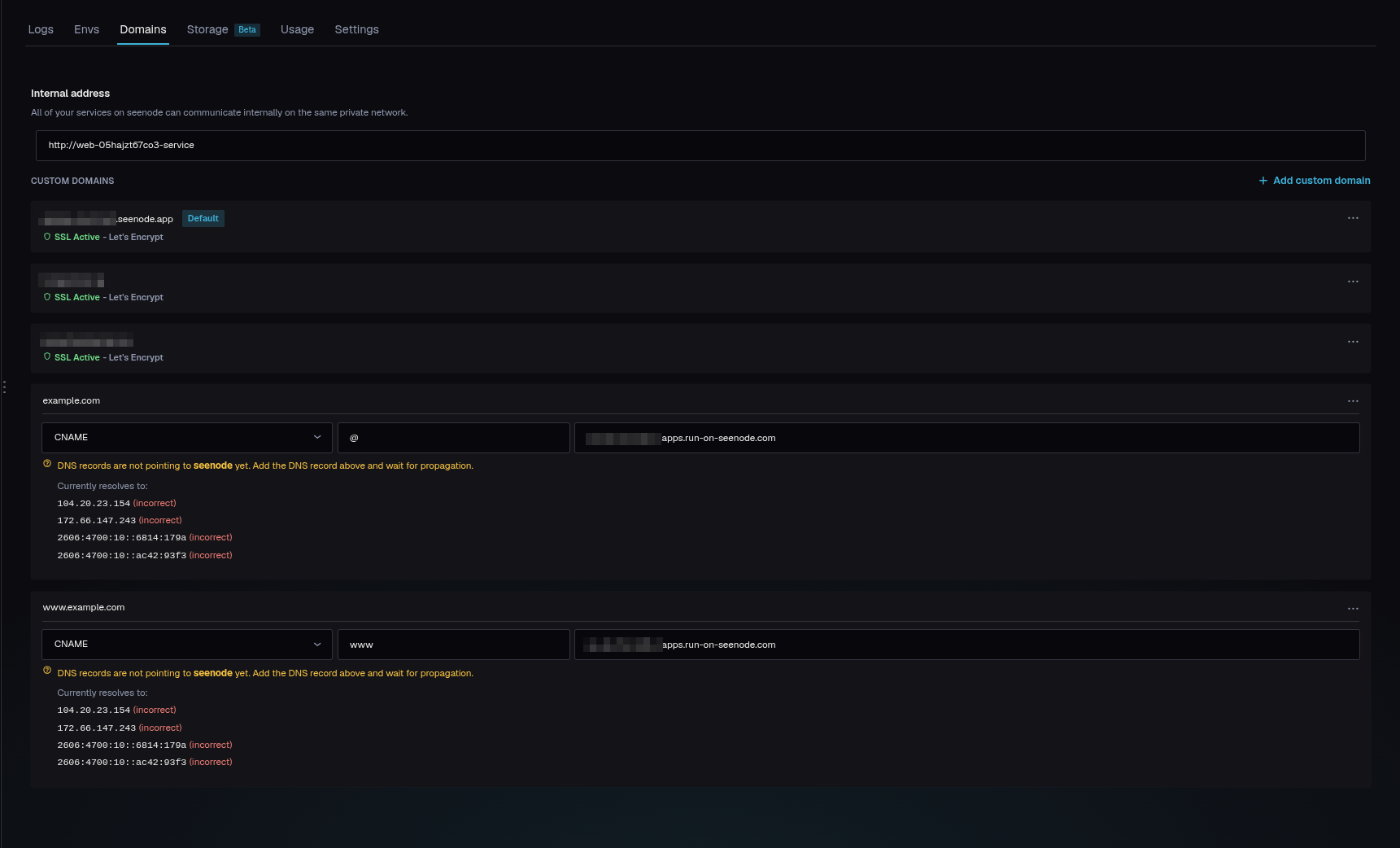
Select the service, open Domains, and click Add custom domain.
-
Enter your domain
Type the domain you want (for example
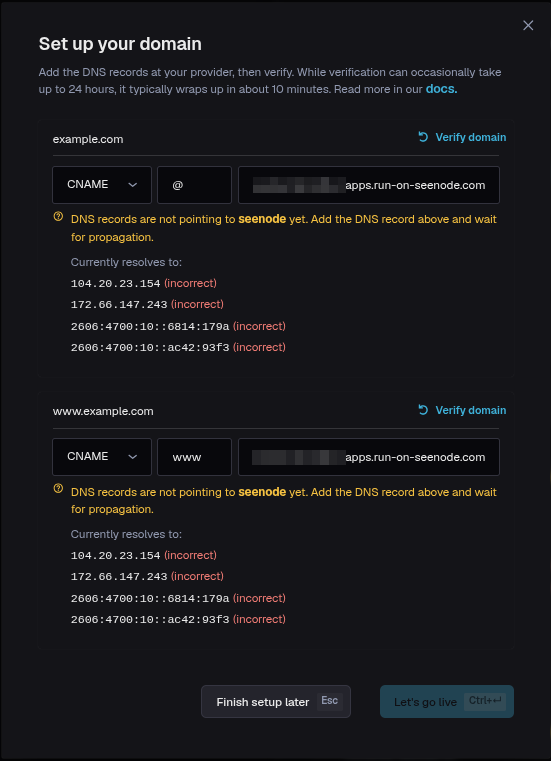
example.com) and click Get DNS config. For a registrable domain, seenode also prepares thewwwvariant (and the other way around if you enterwww.example.com). A deeper subdomain such asapi.example.comis added by itself. -
Copy the DNS records from the dashboard
seenode shows the records to create. Use the CNAME target shown in the UI — do not guess a hostname. Typical shape is a
CNAMEfor the apex (@) and aCNAMEforwww, both pointing at that target. -
Add the records at your DNS provider
Create the records exactly as shown.
Tip (Apex domains and Cloudflare)
A
CNAMEon the apex (@) is only valid on providers that support CNAME flattening, such as Cloudflare. If you use Cloudflare, keep the records DNS-only (grey cloud, not proxied) so seenode can validate the domain and issue the certificate. -
Verify and wait for SSL
Back in seenode, use Verify domain (from the domain’s ⋯ menu) to check the records. Once they resolve, seenode provisions a Let’s Encrypt certificate; the domain shows SSL Active within a few minutes. Verification usually completes in about 10 minutes but can take up to 24 hours to propagate.
Manage a domain
From each domain’s ⋯ menu you can:
- Verify domain: re-check the DNS records.
- Set as default: make this the primary domain for the service.
- Delete domain: remove it from the service.
Once verified, Domains shows each domain with SSL Active, alongside your default *.seenode.app URL. Web services also show an internal address other apps can call on the private network; static sites do not have a per-app ClusterIP.