Link a database to an application
Give a seenode app database credentials: paste from the Connection tab, or write secret DATABASE_* keys via API or MCP.
Last updated September 18, 2026
A managed PostgreSQL or MySQL instance does not automatically appear in your application’s environment. You either copy the connection details yourself, or ask the API (or MCP) to write them as secret env vars.
Note (No dashboard link button)
The application Envs tab does not have a “Link database” control. The dashboard path is copy from the database Connection tab. The API and MCP path writes secrets without returning the password.
From the dashboard
-
Create the database if you do not have one yet. See PostgreSQL or MySQL.
-
Open Connection
On the database, open the Connection tab. Copy parameters, flags, or a URI. Use show password when you need the password. Services in the same workspace can use the private host; the public host is for access from outside seenode.
-
Paste into the app
On the application, open Envs. Add keys your framework expects (often
DATABASE_URL). Mark passwords and URLs Secret. Apply changes so a running web, worker, or private app restarts with the new values.
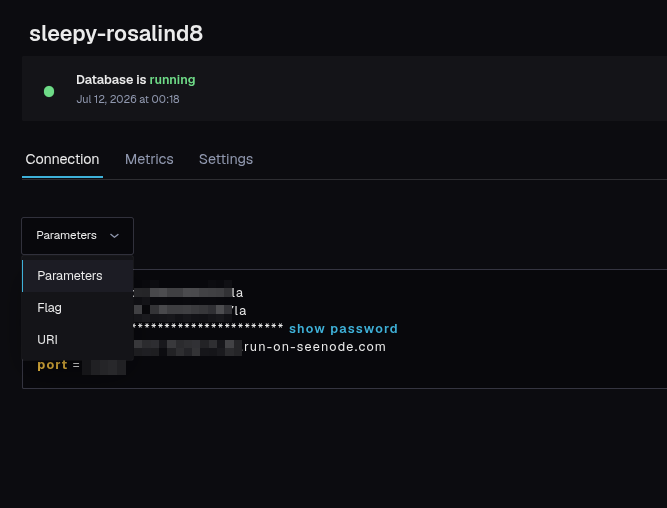
Do not commit these values to Git. After you save a secret, the dashboard will not show it again.
From the API or MCP
POST /v1/applications/{id}/link-database (MCP: link_database_to_application) copies connection values into secret environment variables on the application, then runs the same apply path as saving Envs.
Default prefix DATABASE writes:
| Key | Value |
|---|---|
DATABASE_HOST | Database host |
DATABASE_PORT | Port |
DATABASE_USER | User |
DATABASE_PASSWORD | Password |
DATABASE_NAME | Database name |
DATABASE_URL | postgres://… or mysql://… URI |
The response includes the keys written, host, port, and database name. It never includes the password or full URL.
envPrefixchanges the prefix (DB→DB_HOST, …).overwritedefaults to true. Setfalseif you want a 400 when any target key already exists.
Prefer this over fetching connection details into an agent so the password never enters the model context.
On a static site, those keys are stored for the next build only. They are not available when a browser requests a page. Link databases to web, worker, or private apps that actually open a connection at runtime.