Database backups
Schedule, download, and restore MySQL and PostgreSQL backups on seenode.
Last updated October 4, 2026
seenode keeps logical backups of every PostgreSQL and MySQL database.
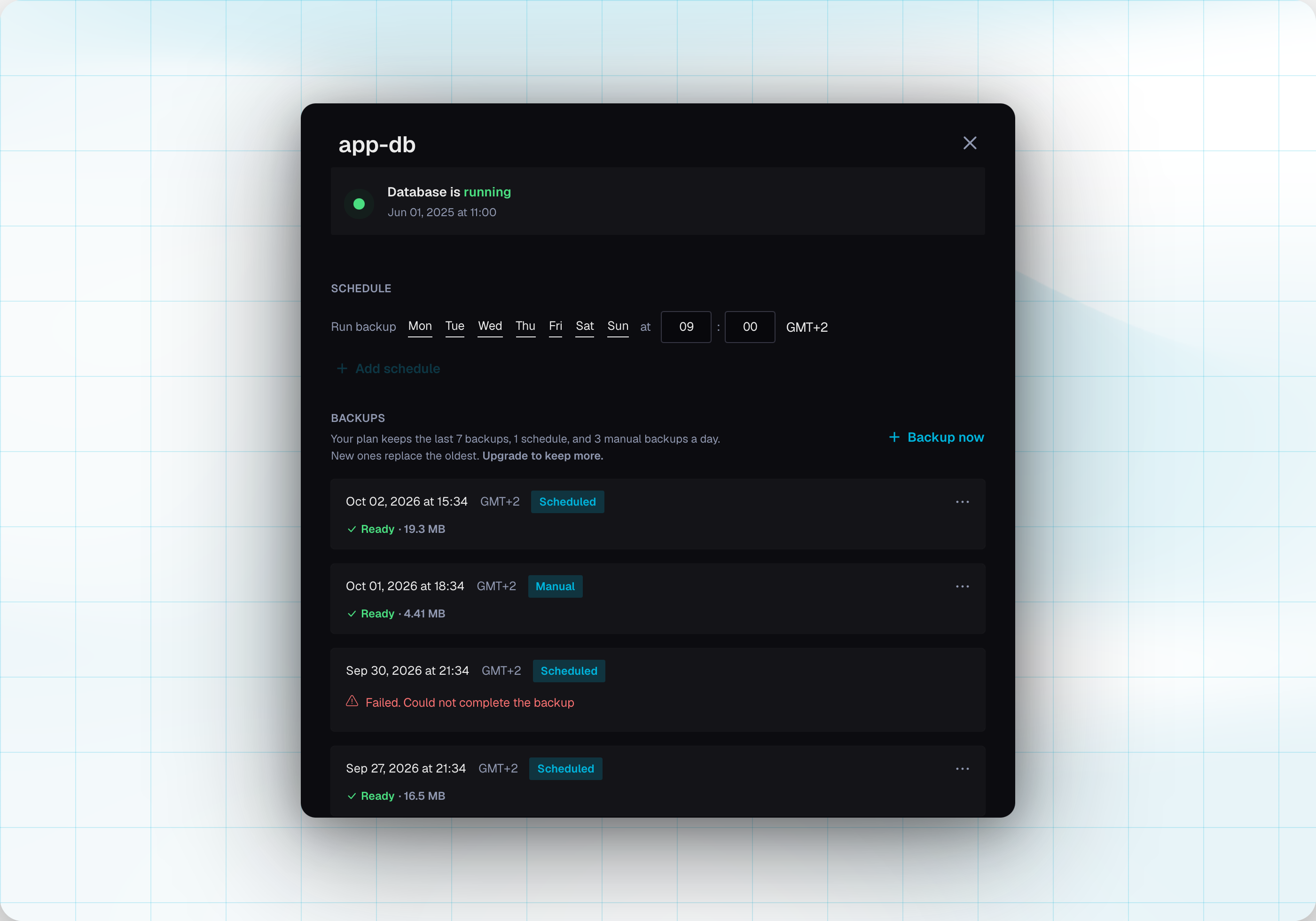
- Download: On a ready backup, open the ⋯ menu and choose Download. The file is a
.sql.gzdump of the database. - Backup now: Create a backup immediately, before a change you cannot undo, such as dropping tables or deleting data.
Restore
Restore into this database
On a ready backup, open the ⋯ menu. The database is recreated with the data from this backup. This cannot be undone. Connected apps disconnect while it runs.
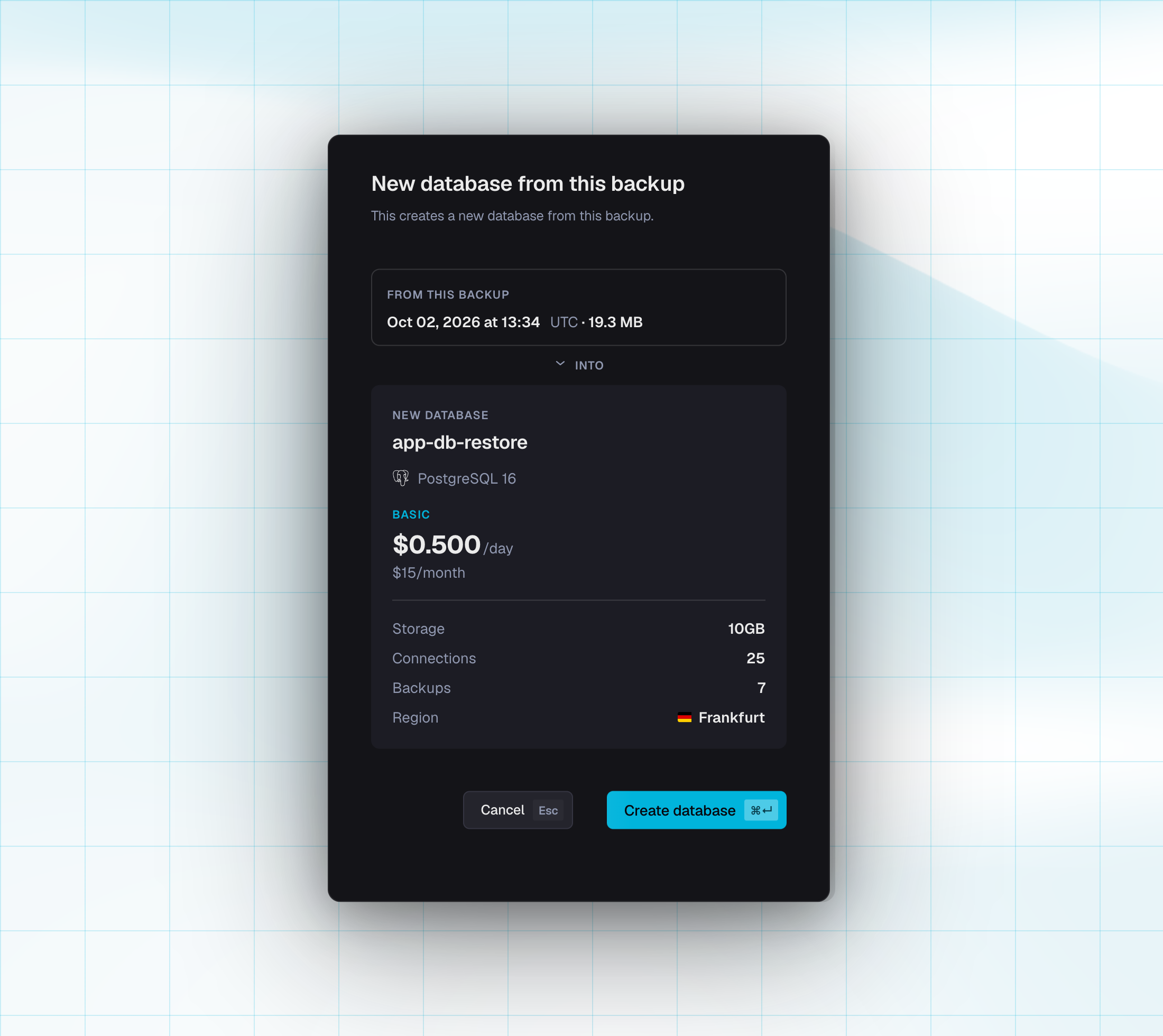
New database from this backup
This creates another database and leaves the current one unchanged.
The name is the current name plus -restore. If that name is taken, it becomes -2 or -3.
Engine, version, region, and plan stay the same. Confirm with Create database.
If the load fails, the new database stays in an error state so you can delete it.
Download stays available during a restore. Backup now and both restore actions wait until it finishes.
Schedule
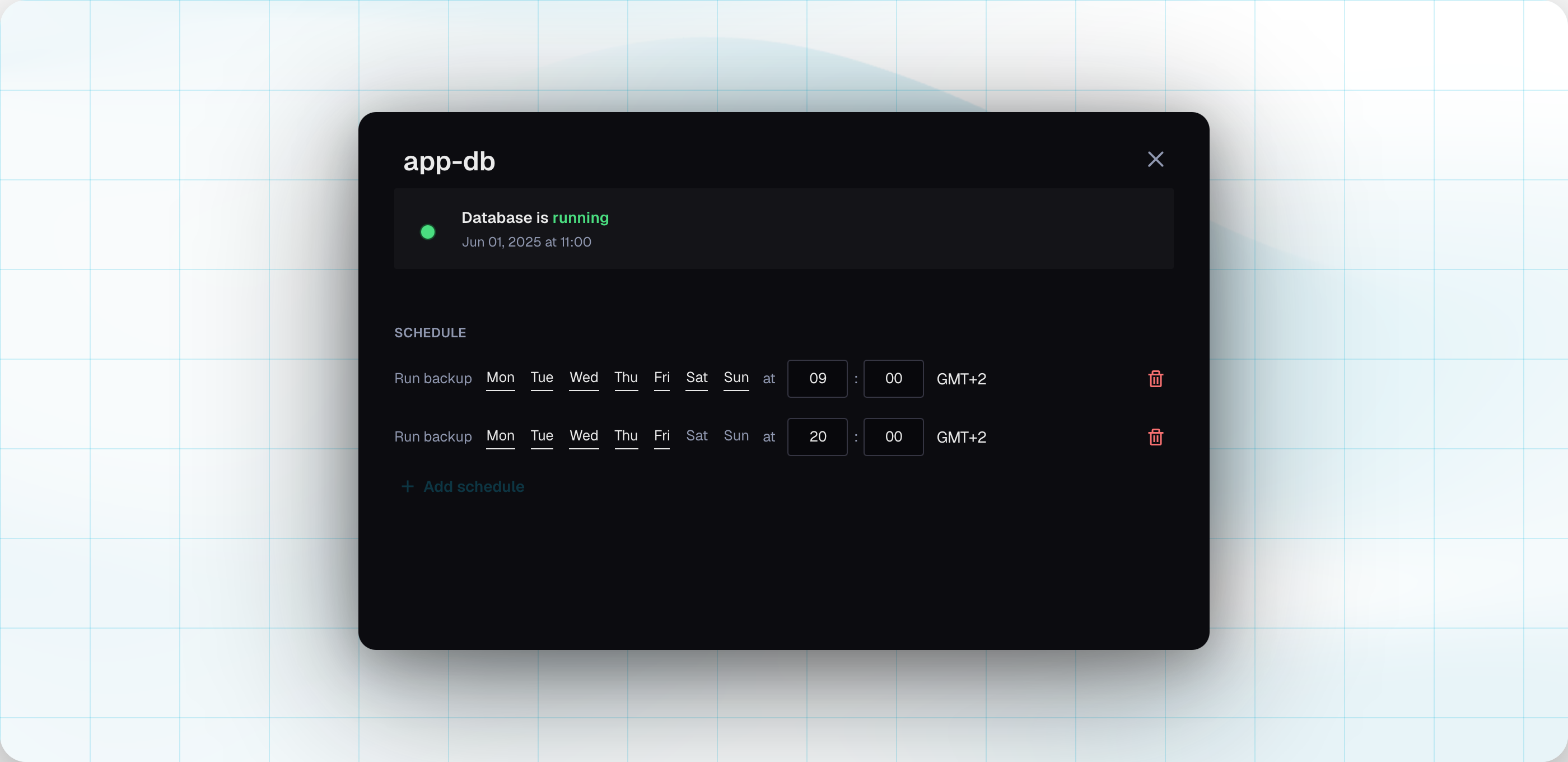
A new database starts with a daily backup at 03:00 UTC. Times are stored in UTC. You can show them in your local timezone. You can have more than one schedule. Basic includes 1. Standard includes 2. Choose the days and a time in 5-minute steps. At least one day stays selected.
Scheduled backups still run while a database is suspended. Backup now does not.
Plans
| Plan | Backups kept | Schedules | Manual backups a day |
|---|---|---|---|
| Basic | 7 | 1 | 3 |
| Standard | 14 | 2 | 5 |
Your plan keeps that many successful backups. A new successful backup replaces the oldest. Backup now counts toward the daily manual limit.