Deploying from a Docker Image
Run a prebuilt Docker image on seenode from Docker Hub, GHCR, GitLab, or a custom registry. No Git build step.
If you already build and push images somewhere else, you can skip the Git source on seenode and deploy that image directly. We pull it from your registry and run it.
This is in Beta.
Note (Image vs Git)
Image-backed apps pull an OCI image. Git-backed apps clone your repo and build on seenode. Pick whichever matches how you already ship.
Prerequisites
- A seenode account
- An image in a registry we can reach (public, or private with credentials)
- A
linux/amd64image. On Apple Silicon, build with--platform linux/amd64or you will getarm64by default and the deploy will fail.
Supported registries
| Registry | Example |
|---|---|
| Docker Hub | nginx, library/nginx, your-user/app:1.2.0 |
| GitHub Container Registry | ghcr.io/your-org/app:1.2.0 |
| GitLab Container Registry | registry.gitlab.com/your-group/app:1.2.0 |
| Custom (Harbor, Quay, self-hosted, etc.) | registry.example.com/team/app:1.2.0 |
Short Docker Hub names resolve to docker.io/library/... when needed. Digests work too if you prefer pinning (nginx@sha256:...).
Create an application from an image
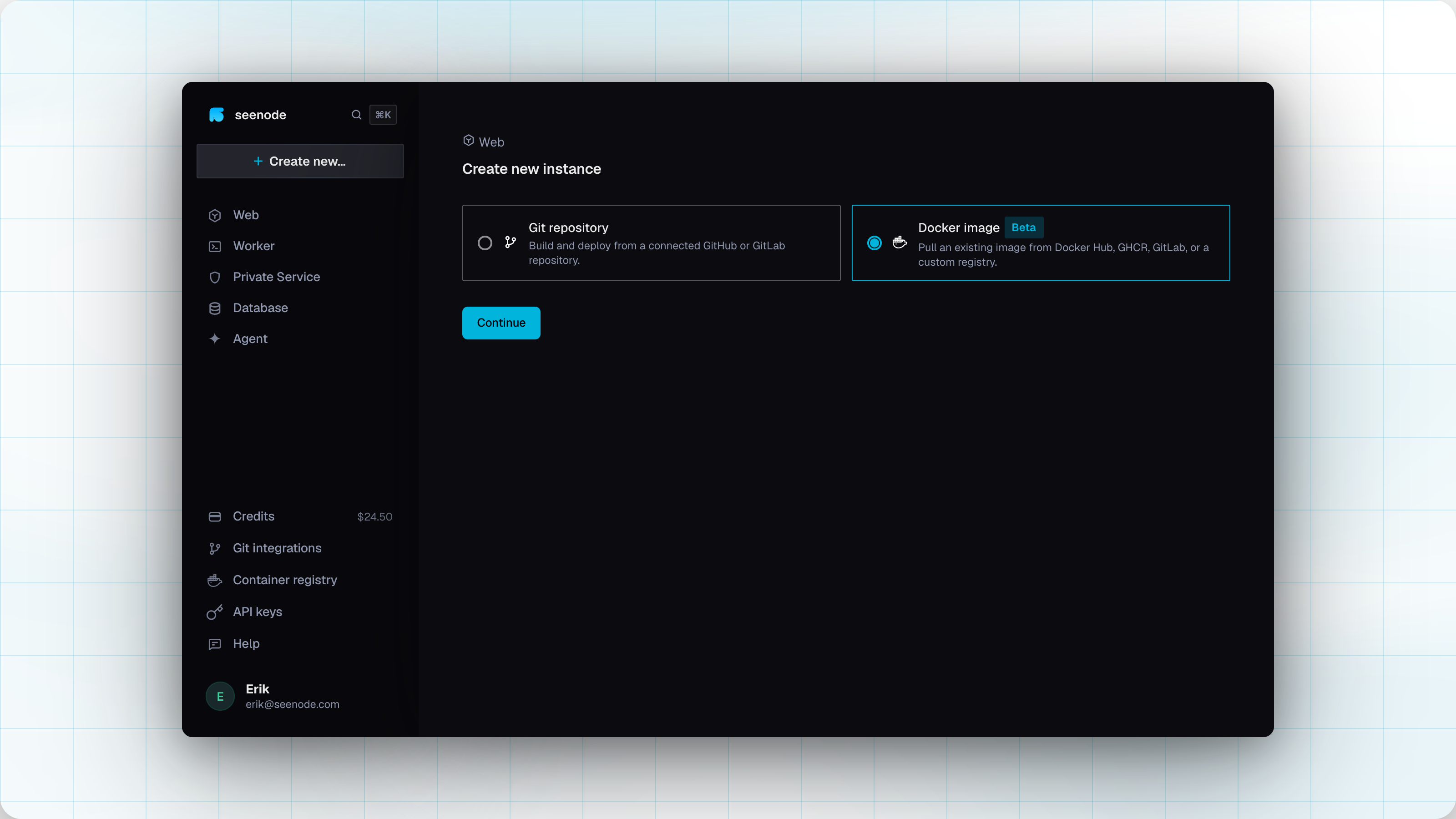
Pick Docker image as the source
Create a new application and choose Docker image instead of Git repository.
Image, credentials, and tag
Fill in where the image lives and how we should pull it.
- Image
Hub short name like
nginx, or a full path likeghcr.io/org/app- Type two characters to search Docker Hub
- For other registries, paste the full path
- Pull credentials
- Public images → leave as none
Private images → pick a team credential (Container registry credentials)
- Tag
- We list tags once the image name resolves
Defaults to
latestwhen that tag exists
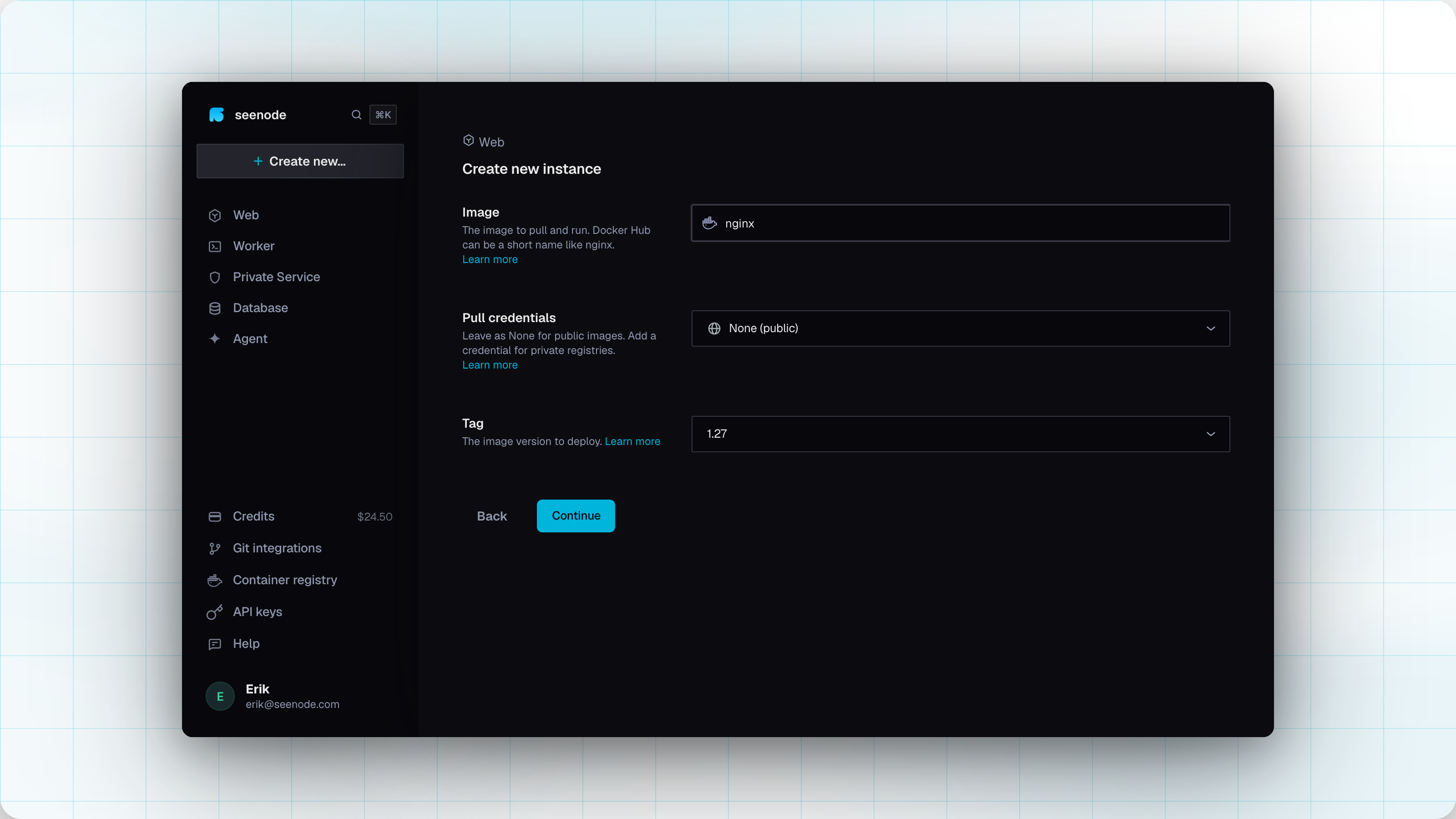
On continue, we resolve the image and check that a
linux/amd64manifest exists before moving on.- Image
Runtime settings
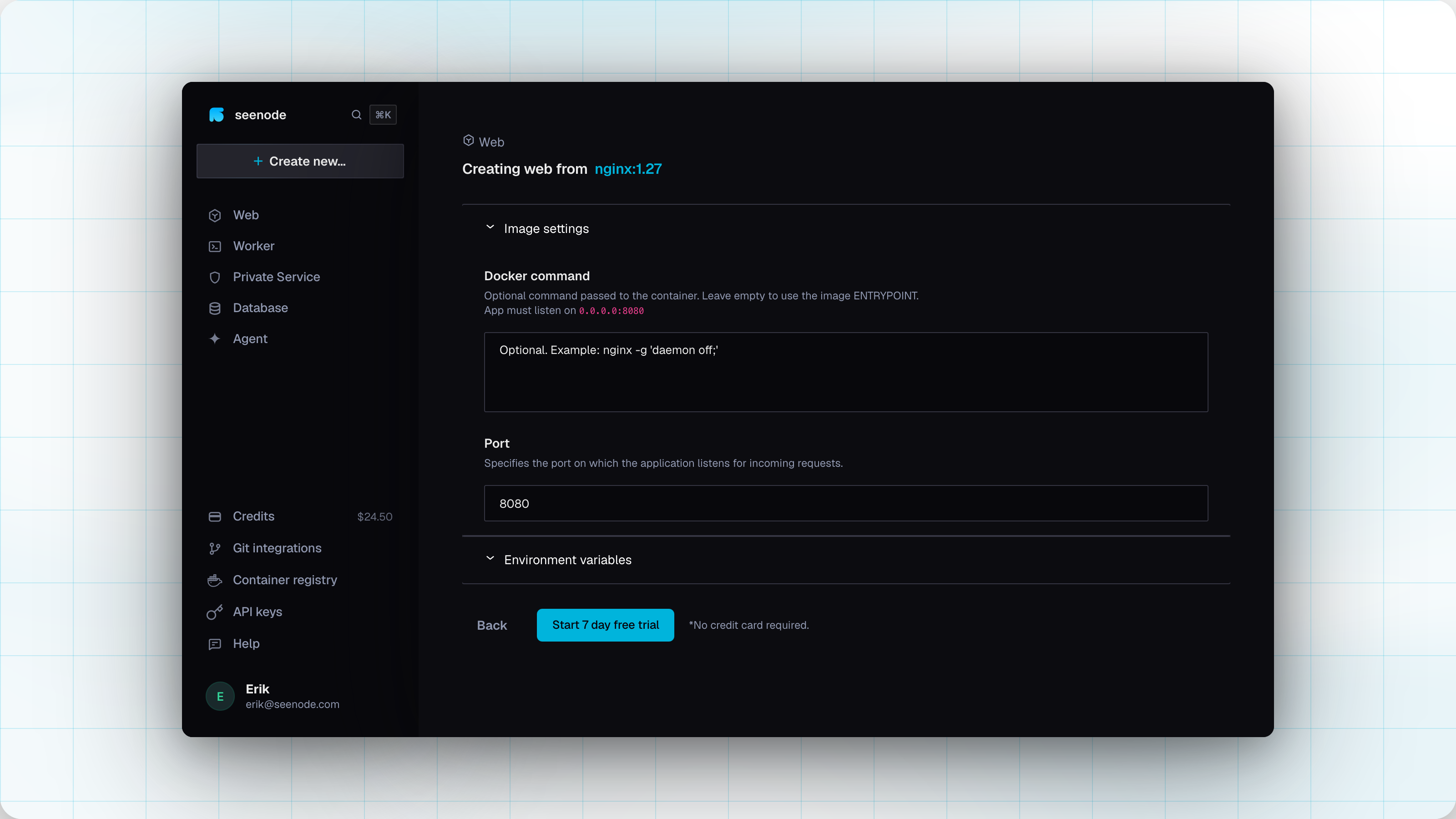
Set how the container should run.
- Docker command
Overrides the image
CMD- Leave blank to keep the image entrypoint as-is
- Port
- Container port your process listens on
Bind to
0.0.0.0on that port
- Environment variables
Optional
KEY=valuelinesAppend
*to a key to mark it secret (API_KEY*=...)
- Docker command
Create and deploy
Create the application. We pull the resolved digest and start the deploy. Open the app for logs while it comes up.
After deploy
Image-backed apps show a Docker badge and the image:tag in the application list.
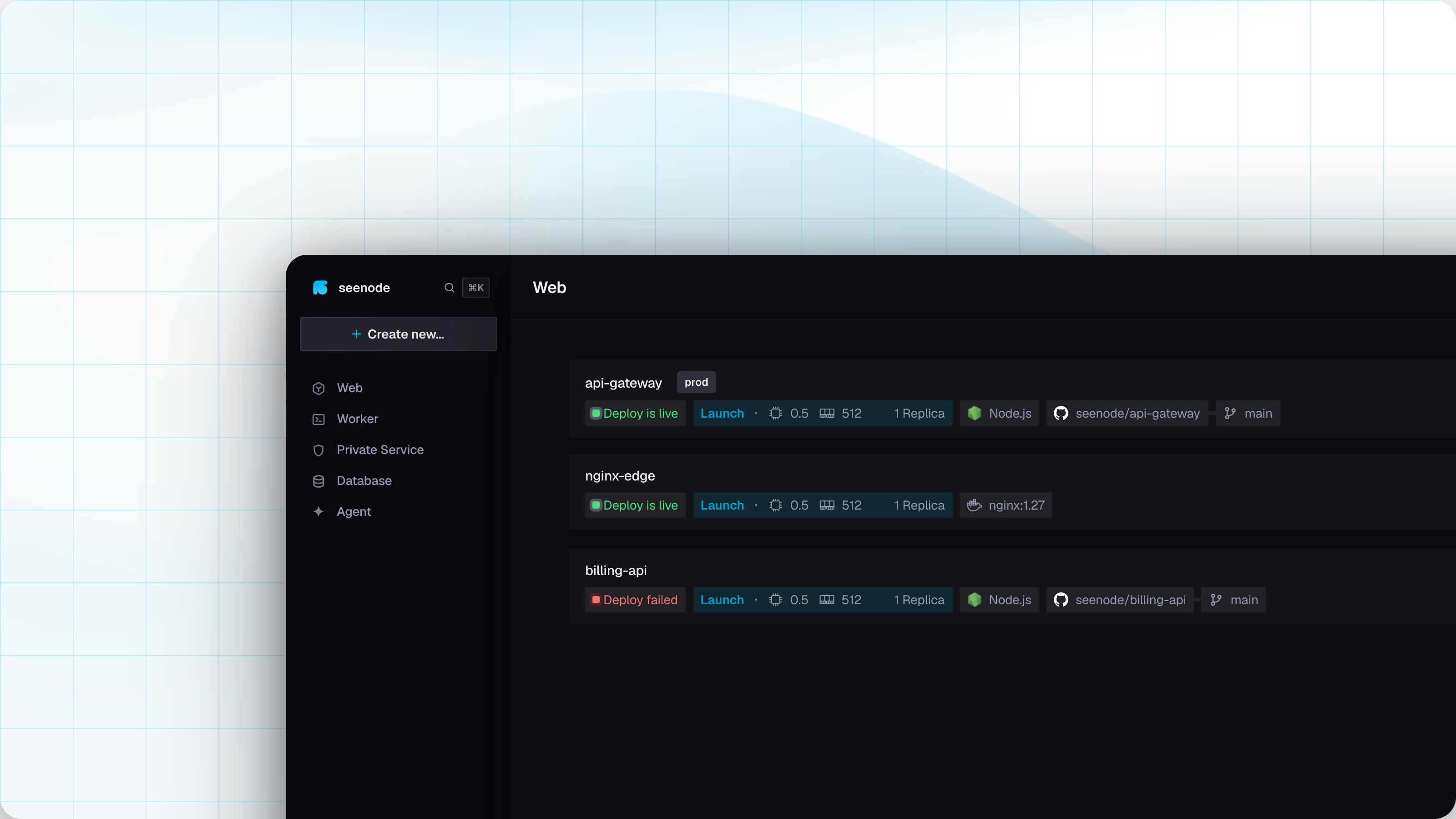
Under Settings you can change the image, credential, tag, Docker command, and port. Saving deploy settings kicks off a new deployment.
Updating an image
Pushing to your registry does not redeploy the app. There is no Git-style auto-deploy for image sources.
To ship a new version:
- Push the updated image (and tag) to your registry.
- Open the application and start a deploy.
- Pick the tag you want, or keep a mutable tag if you intend to pull whatever is behind it now.
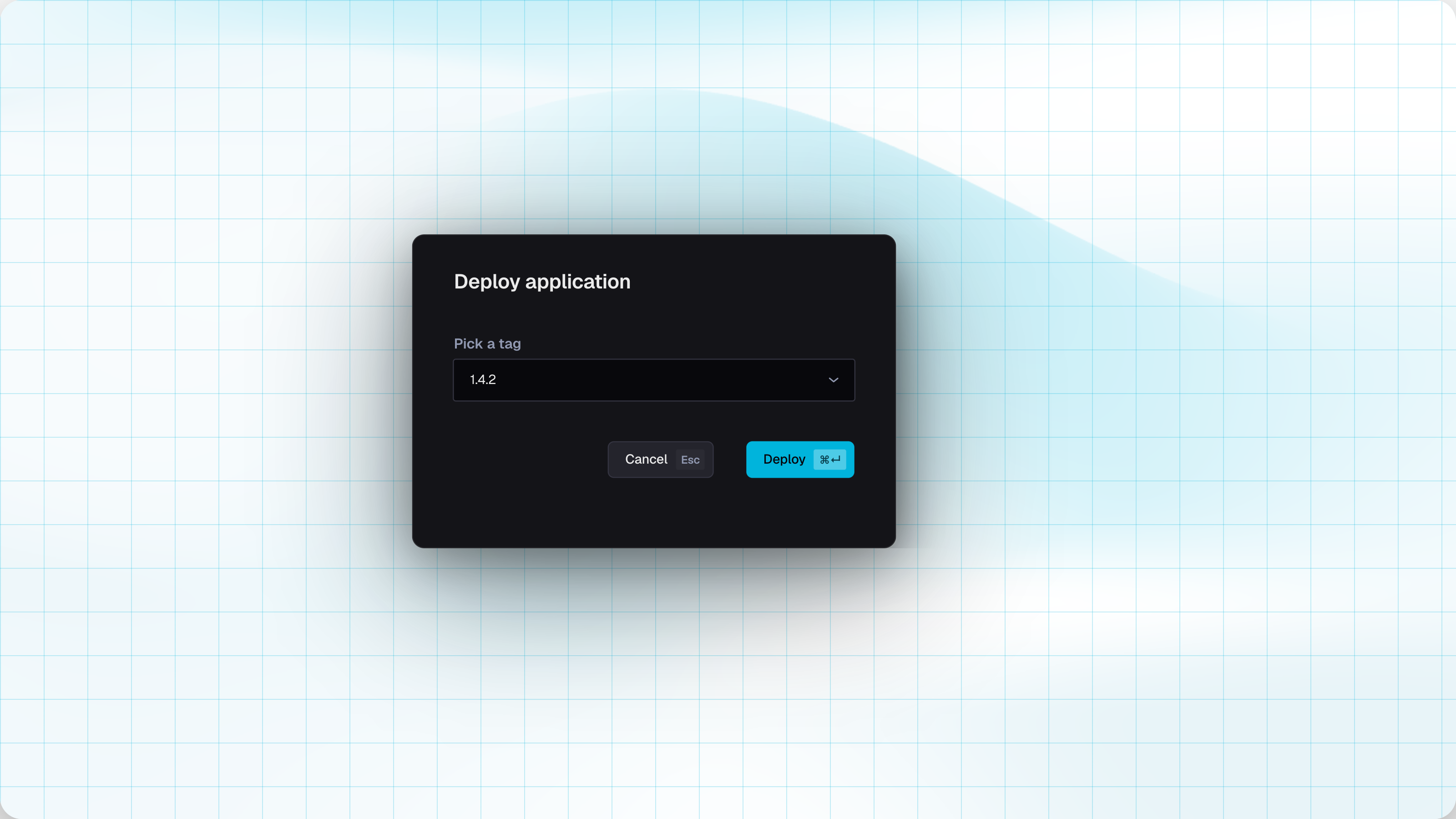
Immutable tags (1.4.2, a git SHA) make rollbacks obvious. Mutable tags like latest are fine if you redeploy after each push on purpose.
Requirements and limits
- Architecture:
linux/amd64only. - Tag picker shows up to 100 tags.
- Hub autocomplete is for discovery. Non-Hub paths are just pasted image names.
- Pricing is the same application packages and credits as Git-backed apps.
Troubleshooting
| Symptom | What to check |
|---|---|
| Manifest / resolve failed | Image name, tag, credentials, and that a linux/amd64 variant exists |
| No tags found | Spelling of the image, and that the credential can list tags on private repos |
| Authentication failed | Token scopes and username. Re-check the credential under Team → Container registry |
| App crashes immediately | Confirm the image is linux/amd64 (not arm64), and that the process listens on 0.0.0.0 at the configured port |
| New push not live | Redeploy manually. Auto-deploy does not run for image sources |
Build for amd64 when you need to:
docker build --platform linux/amd64 -t ghcr.io/your-org/my-app:1.0.0 .docker push ghcr.io/your-org/my-app:1.0.0Related
Container registry credentials
Team credentials for pulling private images from Docker Hub, GHCR, GitLab, or a custom registry.