Container Registry Credentials
Store team credentials so seenode can pull private images from Docker Hub, GHCR, GitLab, or a custom registry.
Private images need auth. Credentials live on the team, the secret is encrypted at rest, and we use them when pulling for image-backed apps. One credential can cover multiple apps.
Public images do not need one. Leave Pull credentials as none.
Where to add credentials
Two places:
- While creating an app from a Docker image, under Pull credentials → Add credential
- Team → Container registry
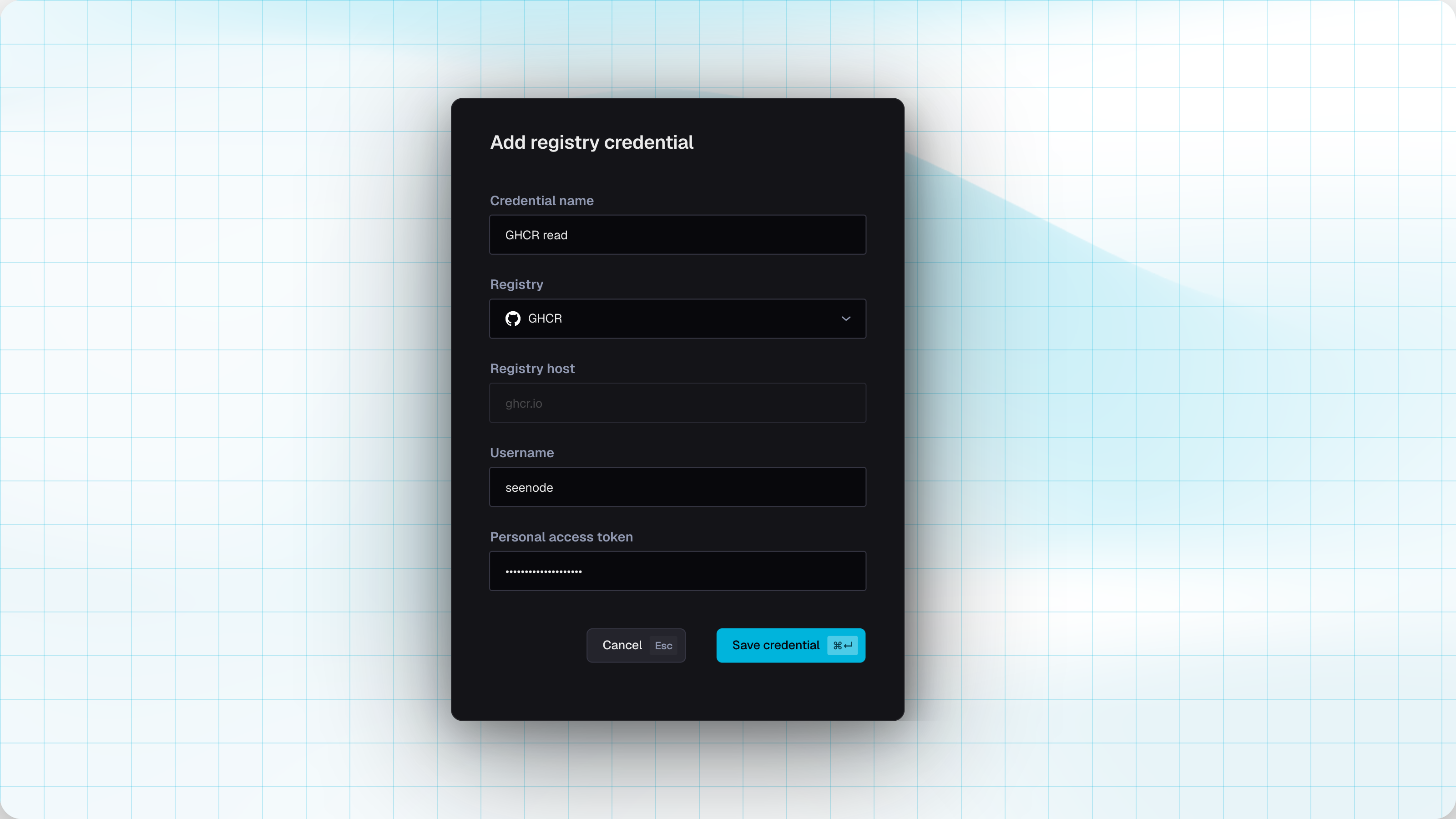
Add a credential
-
Give it a name your teammates will recognize (
GHCR readworks fine). -
Pick a registry preset, or Custom for Harbor, Quay, self-hosted GitLab, and the like.
-
Enter the username and password/token.
-
Save. We verify against the registry before storing it.
Presets and tokens
| Registry | Host | Username | Secret |
|---|---|---|---|
| Docker Hub | docker.io | Docker ID | Personal access token (or account password) that can read private images |
| GitHub Container Registry | ghcr.io | GitHub username | PAT with read:packages. Authorize SSO if the org requires it. |
| GitLab Container Registry | registry.gitlab.com | GitLab username | PAT or deploy token with read_registry |
| Custom | Your registry host | Whatever the registry expects | Password or token with pull access |
Tip (Least privilege)
Use a read-only token for deploys. Do not reuse a CI token that can push or delete packages.
Using a credential on an app
On create or in settings for an image-backed app, set Pull credentials to the team credential that can pull that image. Leave it empty for public images.
If a deploy fails with an auth error, open Team → Container registry, fix or re-verify the credential, then redeploy.
Managing credentials
From Team → Container registry you can add another credential, update the username/secret (re-verified on save), or delete one that no app still references.
Warning (In use)
You cannot delete a credential while an application still points at it. Switch those apps to another credential (or none), then delete.
Related
Deploying from a Docker Image
Create an image-backed app and redeploy when you push a new tag.