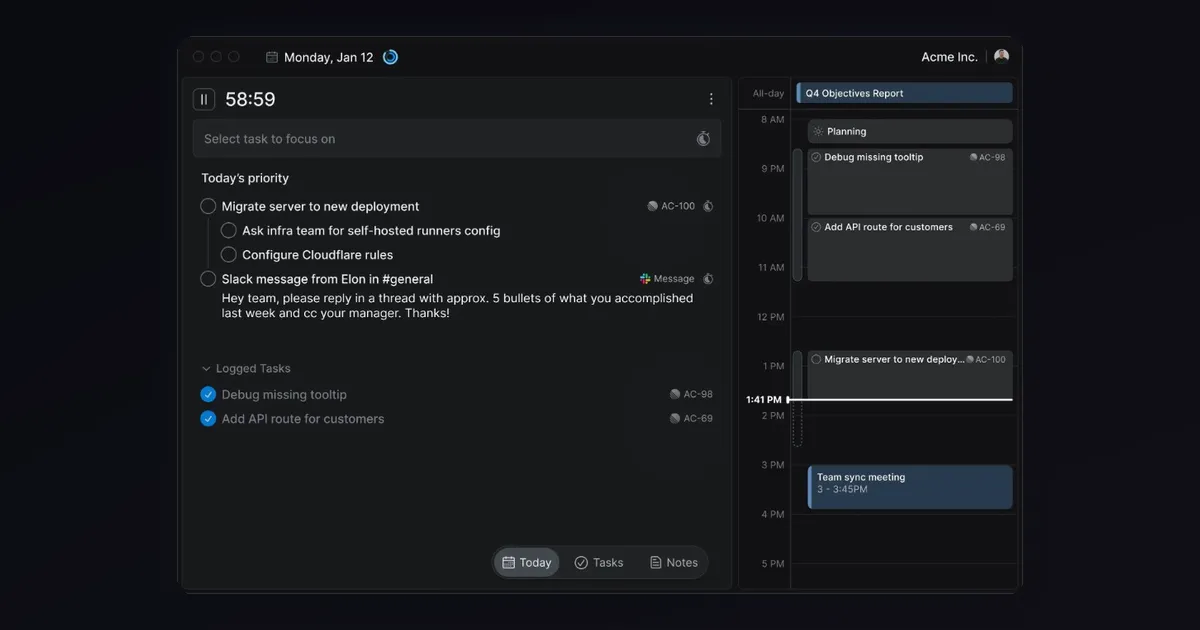

Most mornings at Seenode start the same way. Slack pings. A support ticket lands. A deploy alert fires. Three Linear issues sit in the backlog from yesterday. By noon you have answered messages, triaged incidents, and jumped between tabs enough times to feel productive. Then you realize the one thing you meant to finish before lunch is still untouched.
That pattern is not a discipline problem. It is a tooling problem. We were running a separate timer, a browser tab full of issues, notes scattered across another app, and a time tracker we kept forgetting to start. Every switch cost a few minutes of focus, and at the end of the day we still could not say where the hours went.
We started using Locu to run the day differently. Full disclosure: we partnered with Locu on this post after using the product on our own team.
What Locu is (and what it is not)
Locu is a desktop and web workspace built around focused work sessions. It combines a focus timer, a minimalist task list, notes, and time tracking in one place. If you live in Linear or Jira, that matters: Locu syncs issues in both directions, lets you add personal notes and subtasks that stay off the team board, and tracks how long you spent on each issue without a separate timesheet app.
It is not a replacement for your team’s project management tool. You still plan sprints in Linear. You still coordinate in Slack. Locu sits on top of that stack as a personal execution layer: one task at a time, with the context you need visible, and nothing else competing for attention.

The stack we replaced
Before Locu, our setup looked like most small engineering teams. Linear for issues. A browser-based Pomodoro timer in another tab. Notes in a generic doc. Toggl running in the background when someone remembered to click start.
The failure mode was predictable. You would finish a 45-minute block, close the timer, and then stare at Toggl trying to remember which ticket that block belonged to. Or you would skip time tracking entirely and lose the data. The tools worked individually. They did not work together.
Locu’s model is simpler: you pick a task, start a session, and work. Time attaches to that task automatically. When the session ends, the record already exists. No reconciliation step at 6pm.
Our daily workflow
Locu structures the day around three short rituals: plan in the morning, work in sessions, review in the evening. None of them take more than a few minutes. The value is in what happens between them.
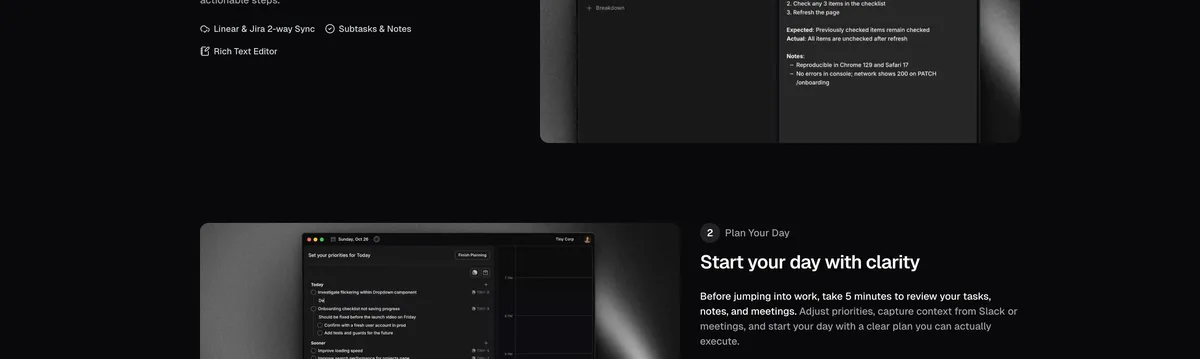
Morning planning (5 minutes, not a ceremony)
The first thing we do is pull in today’s issues from Linear. Ops work that does not live in a tracker (a docs update, an internal tooling fix) gets added as a local task. We scan the calendar timeline, set one or two realistic focus goals for the day using Locu’s daily goal feature, and dump loose context from Slack or standup into notes.
That last step sounds minor. It is not. Without it, a thread from 9am becomes a vague memory by 2pm. Writing two sentences in Locu takes thirty seconds and saves twenty minutes of reconstructing what you meant to do.
Focus sessions on real work
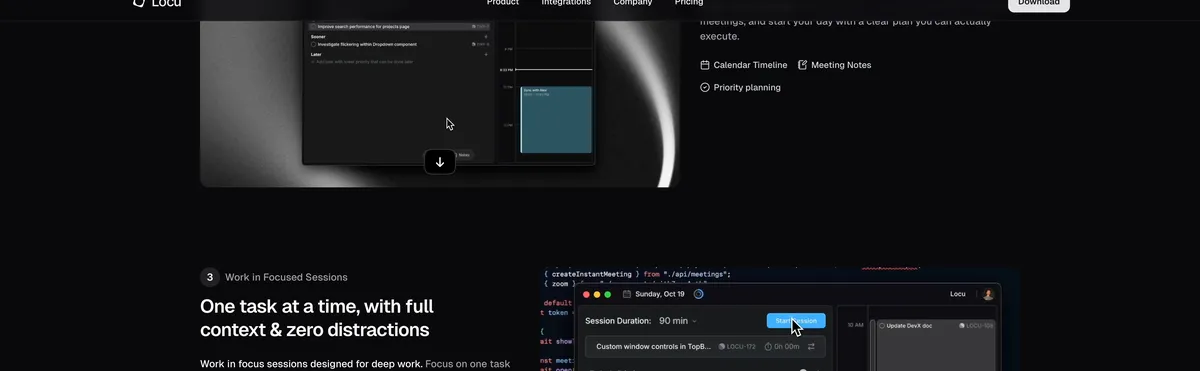
When it is time to actually build, we pick one task and start a session. On macOS, the app and website blocker kicks in automatically. Slack, Discord, and the reflexive tab-checking stop being options for the length of the block.
Concrete examples from our week:
- Debugging a customer deploy issue that needed a full hour without interruption
- Writing platform docs or a blog post like this one
- Shipping an infra change through our GitHub Actions pipeline where a half-finished deploy is worse than no deploy
Locu defaults to work intervals that line up with ultradian cycles, roughly 90 minutes of focus followed by a real break. We are not treating it as a wellness app. The point is sustained attention on hard problems: tracing a failed build, reading through a customer’s config, or refactoring something you cannot untangle in twenty-minute fragments.
Evening wrap-up
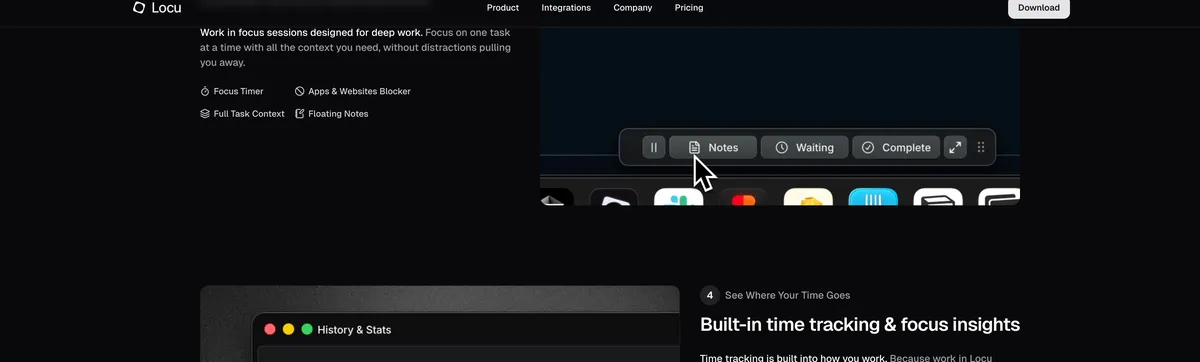
At the end of the day we look at what actually got done versus what we planned. Some days the lists match. Most days they do not, and that gap is useful data. When someone asks where last week went, we skim session history instead of guessing. Locu exports to CSV and PDF if you need to pull numbers for invoicing or internal reporting.
What actually made a difference
A feature list would not tell you much. These are the parts that changed how we work.
Linear sync. Issues arrive in Locu with their context intact. Status updates sync back to Linear when we finish. If you already live in Linear, start with the integration. It is the fastest path to a setup that feels useful on day one.
Tip (Our take)
If you already live in Linear, start there. The integration is the fastest path to a useful setup.
Personal notes layer. Big issues get broken into subtasks and scratch notes inside Locu without cluttering the shared board. The team sees progress in Linear. We keep the messy thinking local.
Session-based time tracking. Time attaches to the task you were doing, not a generic project bucket you pick from memory at the end of the day. No timesheet guilt. No “I forgot to start the timer” entries.
App blocker. This one is macOS-only today, which is a real limitation for mixed-OS teams. On Mac it stops the mid-debug Slack check that kills momentum.
Offline-first. Works on bad Wi-Fi, on a train, or when you are heads-down and do not want sync latency pulling you out of flow.
CSV and PDF export. Useful if you bill hours or need to report time internally. We use it less than freelancers might, but the option is there when someone asks for numbers.
What Locu does not solve
Locu will not replace your team’s coordination tools. You still need Linear or Jira for sprint planning, assignments, and shared visibility. Locu is for the person doing the work, not the person running the roadmap.
The app blocker is macOS only right now. Linux and Windows users get the timer and task workspace but not the automatic blocking.
It also will not fix an overloaded backlog. If you have forty priorities and no plan, a focus timer just helps you stress about one of them at a time. Locu helps you execute on what is already there. It does not decide what belongs on the list.
Pricing is straightforward: 84 per year, or a lifetime option at $209. There is a 10-day free trial with no credit card required.
Who should try it
Locu fits solo founders and small engineering teams (roughly two to ten people) who own their own execution. Freelancers billing on Linear or Jira projects get the most out of the time tracking and export features. Anyone tired of reconciling a timer with a task list at the end of the day will recognize the problem immediately.
It is less ideal if you need enterprise team analytics, shared sprint planning inside the tool, or heavy cross-team reporting. For that, stay in your PM tool. Locu is the layer underneath.
Closing
We did not become ten times more productive. That is not the claim. We became more honest about where time went and more consistent about protecting blocks for work that actually matters. On a small platform team, that difference compounds.
If you want to try it, Locu offers a 10-day free trial with no credit card required. And if you are shipping the apps you build in those focus sessions, that is what Seenode is here for.