
You send the standard NPS question. Promoters give you a 9 or 10. Detractors give you a 3. Passives hover around 7 and rarely write anything useful in the open text field. You close the survey tool, export a CSV, and end up in a Slack thread asking what the number actually means.
We ran into this at Seenode. We are a PaaS. Developers deploy from Git, manage services in a dashboard, and contact support when something breaks. We cared about NPS and customer satisfaction, but the tools we tried were good at collecting scores and weak at collecting context.
That gap is why we started using Specific. It runs conversational AI surveys: respondents chat with an interviewer that asks follow-up questions in real time, then summarizes the results so you can query them in plain English. We use it for NPS and post-support satisfaction. This post covers what changed, how the product works, and when it is worth considering for your own feedback program.
What traditional NPS surveys miss
NPS was never the problem. The delivery mechanism was.
A static form gives you one shot. Someone selects 6, types “deployment was confusing” into an optional text box, and moves on. You do not know which step confused them, whether they recovered, or if support could have prevented it. You just have a number that moved two points from last quarter.
The usual fixes do not scale well either:
- Follow-up emails to detractors get low response rates and arrive days after the experience.
- Spreadsheet analysis of open-ended answers takes hours and still misses patterns.
- Email blasts ask for feedback at random times, not when the user just finished something meaningful.
Timing matters for a developer platform. Feedback right after a first deploy is different from feedback three months into a production workload. A form link in a newsletter cannot tell the difference.
| Traditional NPS form | Conversational survey (Specific) | |
|---|---|---|
| Follow-ups | Fixed or none | AI probes in real time |
| Completion | Often 45–50% | Often 70–80% (per Specific’s published benchmarks) |
| Analysis | Export and manual tagging | Chat with results in plain English |
| Deployment | Email link | In-product widget or shareable page |
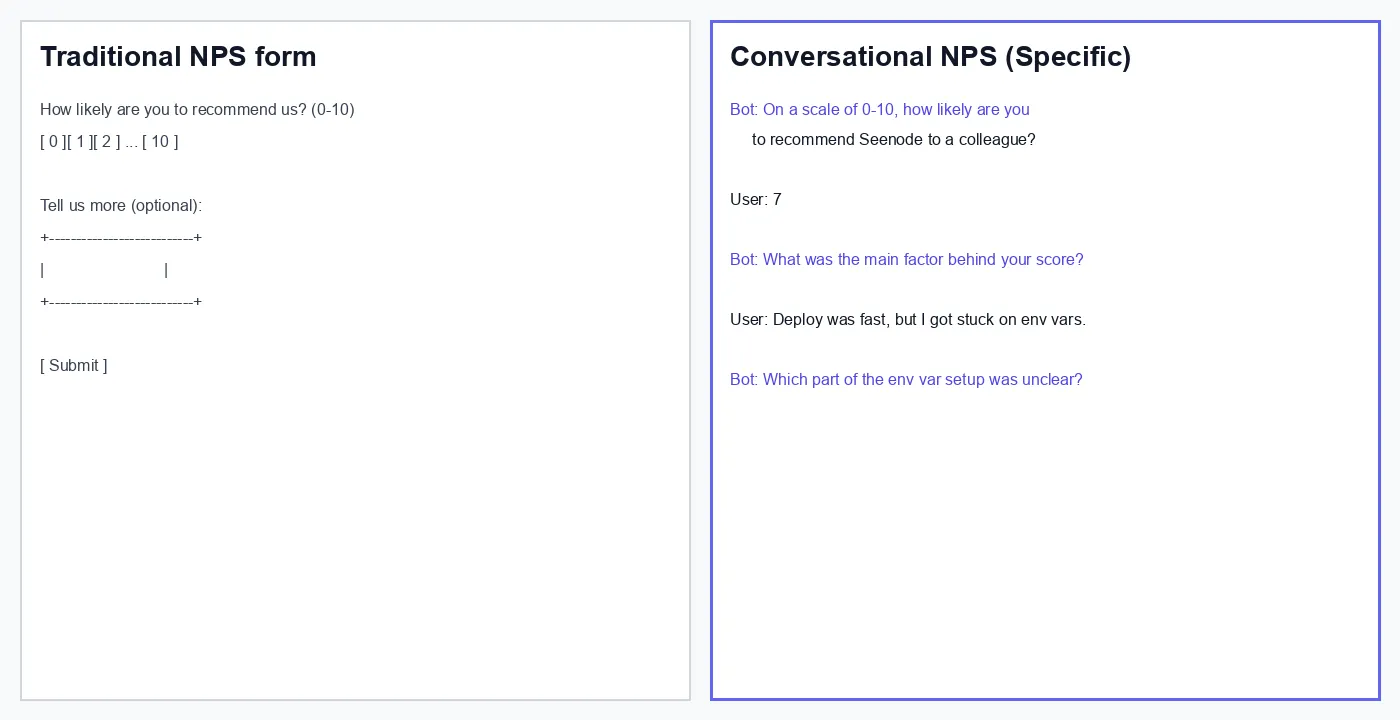
The difference is not cosmetic. A conversational flow treats the 0–10 score as the start of the interview, not the end of it.
How Specific works (the parts that matter)
Specific is not a form builder with an AI label on the homepage. Three parts of the product do the actual work: creating surveys, collecting responses in context, and analyzing what comes back.
Create surveys by describing what you need
You describe the goal in plain language. Something like “NPS survey for developers who deployed their first service in the last 30 days” or “post-support satisfaction check for billing questions.” The AI survey generator drafts questions, rating scales, and follow-up logic. You edit by talking to the editor rather than dragging blocks around a canvas.
For NPS specifically, Specific has a dedicated NPS survey template that starts from the standard likelihood-to-recommend question and layers probing follow-ups on top. That saved us from rebuilding the same branching logic every quarter.
Collect responses where users actually are
Specific supports two deployment modes, and we use both.
Shareable landing page. No code required. We send these after support resolves a ticket when we want feedback on that specific interaction. The respondent opens a link and chats through the survey on their own time.
In-product widget. This is where in-product conversational surveys earn their keep. You embed a snippet via the JavaScript SDK, identify users with setUser, group them into workspaces with setGroup, and trigger surveys on events. Code events fire from your app. No-code events let non-engineers configure triggers in the Specific dashboard without a deploy.
At Seenode, our main NPS trigger fires 14 days after a workspace’s first successful deploy. We also run a quarterly check for workspaces with at least one active service. Support CSAT uses the landing page link, sent when a ticket moves to resolved.
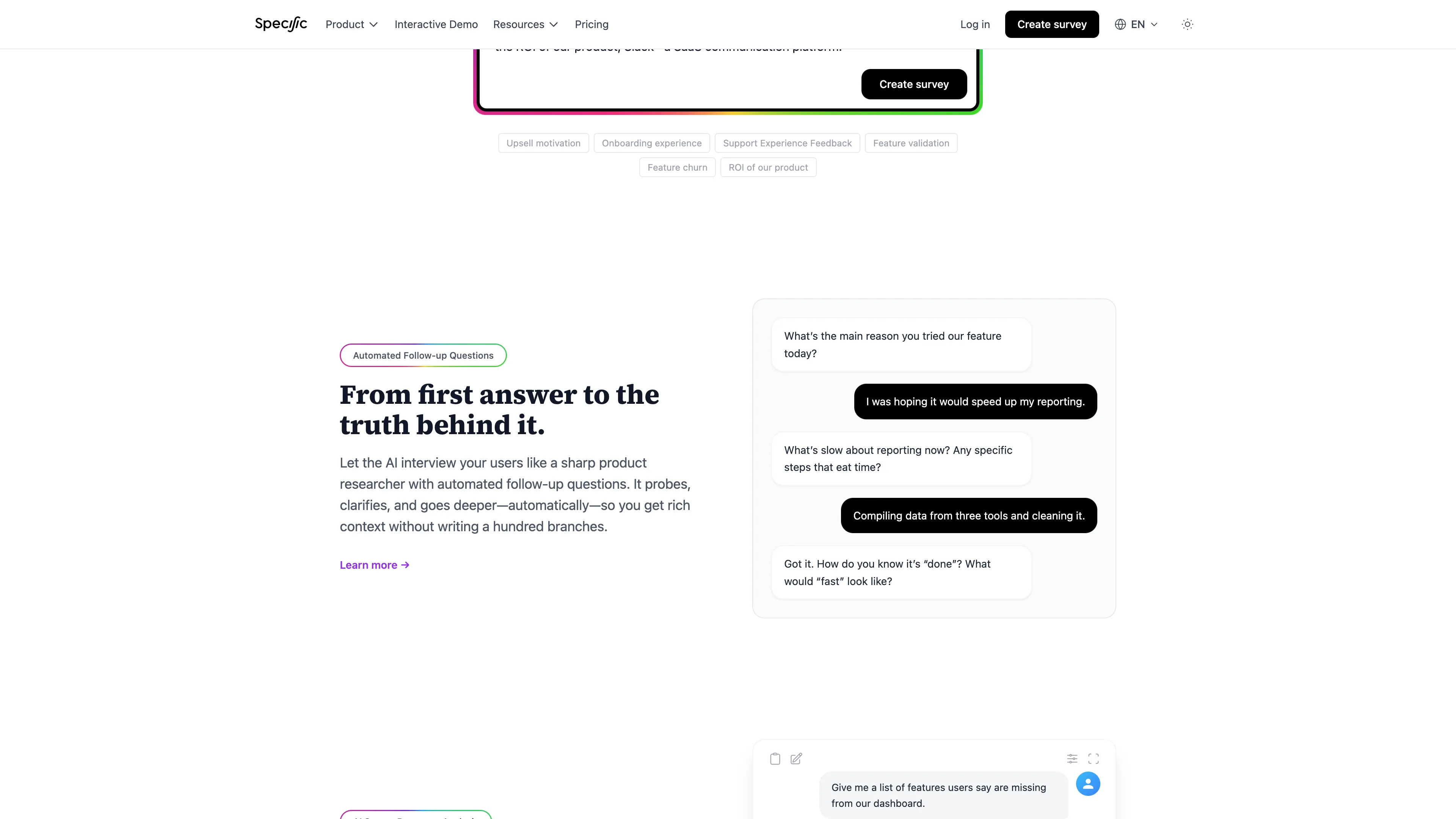
The follow-up behavior is the part that separates this from a Typeform with a chat skin. If someone says deployment was “fine,” the AI asks what fine means. If they mention environment variables, it asks which step broke down. You get that depth in one session instead of three emails spread across a week.
Analyze by talking to the data
Exporting to a spreadsheet was our old workflow. Read fifty open-ended answers, highlight recurring phrases, build a slide deck, argue about priorities. It worked, but it was slow and easy to bias toward whatever you remembered from the last angry support ticket.
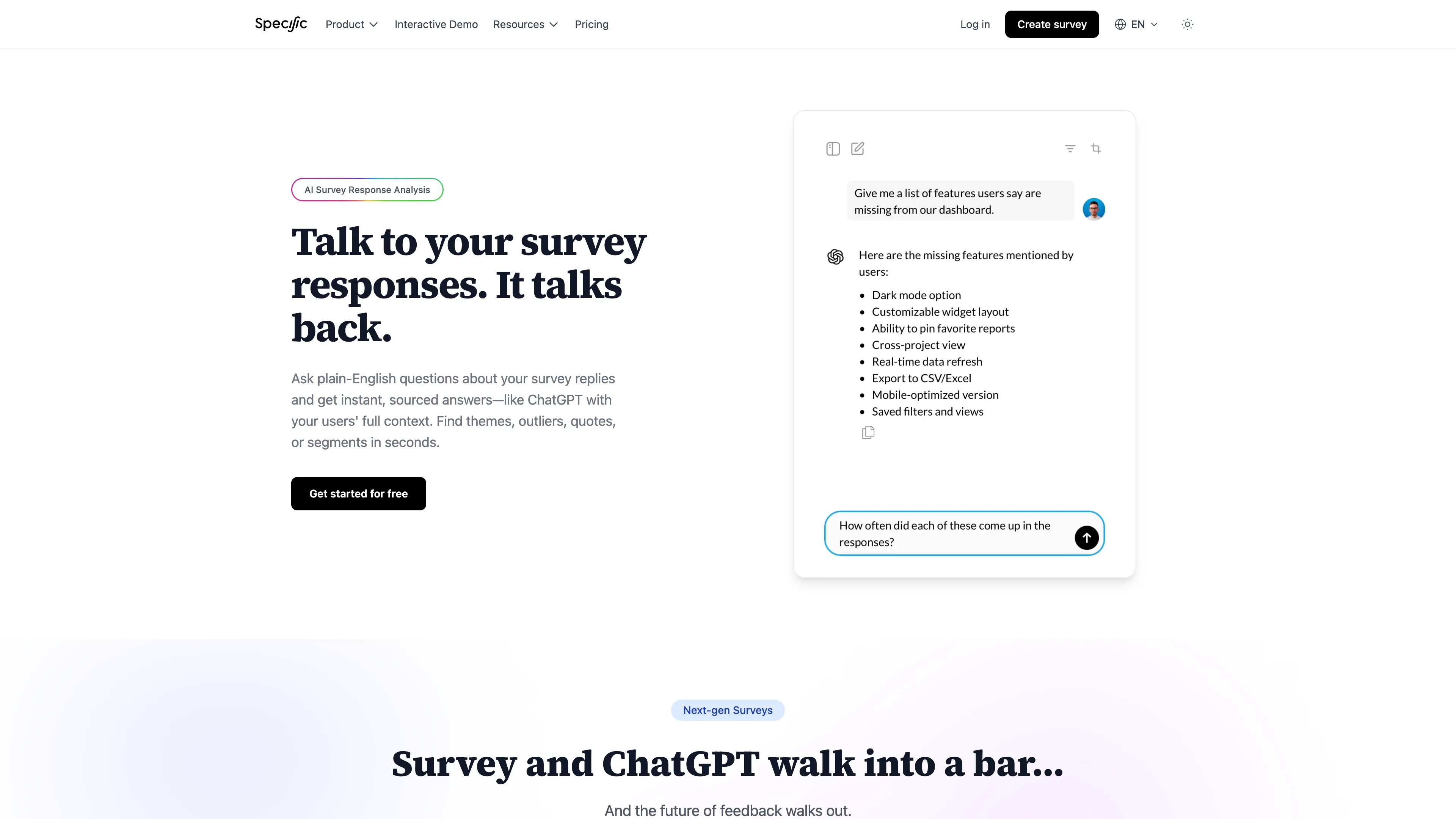
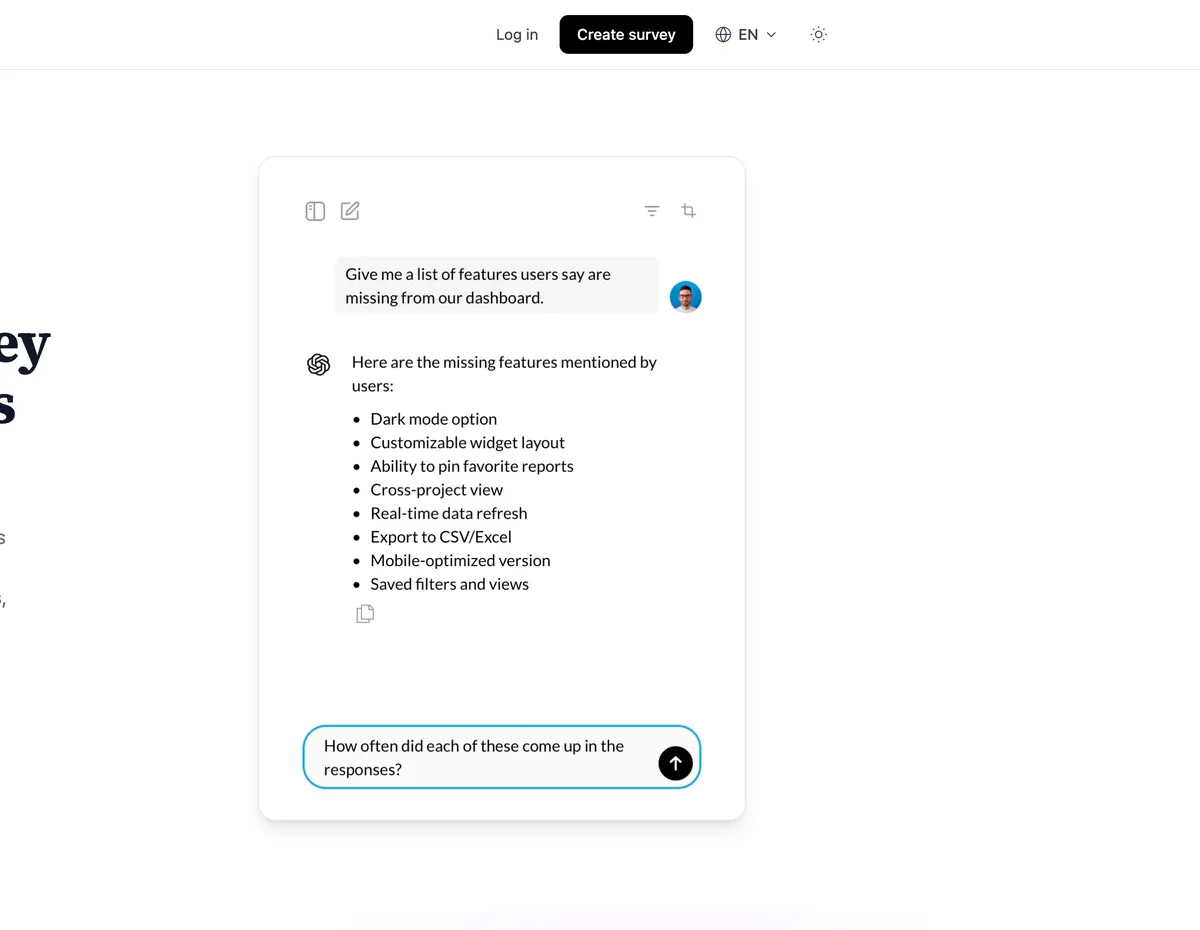
Specific’s AI survey response analysis flips that. Every question gets an AI summary with themes and representative quotes. Then you open an analysis chat and ask things like:
- “What do detractors mention most about documentation?”
- “How do promoters describe deployment speed?”
- “Are there differences between users on the Basic plan vs Standard?”
You can filter by segment, spin up separate analysis threads for different angles, and paste summaries into product planning docs. For a small team without a dedicated research function, this replaced a full afternoon of manual coding.
How we use it at Seenode
I will be specific about our setup because the generic “we love our customers” version of this post helps nobody.
NPS program
Our core NPS survey asks the standard 0–10 likelihood-to-recommend question, then lets the AI probe based on the score band. Promoters get asked what we should keep doing. Passives get asked what would push them to a 9 or 10. Detractors get asked what went wrong, with follow-ups until the answer is concrete enough to act on.
We trigger the in-product survey 14 days after a user’s first successful deploy. Two weeks is enough time to hit a real snag or confirm the platform works for their stack. We also send a quarterly NPS to workspaces with active services, capped so the same user does not see it more than once every 90 days.
The conversational layer surfaced things a one-line text box never would. One pattern that showed up repeatedly: users who scored 6 or 7 liked the deploy speed but got stuck configuring environment variables. The open text field version of that feedback was usually just “docs could be better.” The follow-up conversations named the exact doc page, the framework, and whether they expected .env file support vs dashboard-only input.
We updated the environment variables guide and added a link from the dashboard env var panel directly to that section. NPS for that cohort moved up the following quarter. I cannot claim causation from one change, but the feedback was actionable in a way the old survey never produced.
Customer satisfaction (CSAT)
Post-support CSAT runs on a shareable link, not the in-product widget. When a support ticket closes, we send a short conversational survey asking about resolution quality and clarity. The AI follow-up matters here because “support was slow” is not actionable. “I waited two days for a reply about Postgres connection limits” is.
We route recurring themes from the analysis chat into our support playbook. If three people in a month mention the same docs gap, that becomes a docs ticket before it becomes a churn risk.
What we stopped doing
- Chasing detractors by email for more context. The survey already collected it.
- Manually tagging open-ended responses in a spreadsheet. The AI summaries handle first-pass grouping.
- Debating whether a 6 was “really” negative. The follow-up transcript made the sentiment obvious.
Tip (What surprised us)
The follow-up quality mattered more than the score itself. Detractors who scored 6 often had fixable issues we would have missed with a one-line text box. Passives who scored 7 frequently named a single feature gap. That single detail was enough to prioritize a roadmap item.
Pricing that matches occasional survey runs
We do not run surveys constantly. NPS is quarterly plus event-triggered checks for new deploys. CSAT fires a few dozen times a month. We did not want another per-seat subscription sitting next to our other SaaS tools.
Specific uses usage-based prepaid credits. No subscription, no seat fees. You pay for conversations and AI work:
- About $8 per 100 conversations (3 base questions plus 4 AI follow-up questions)
- $0.01 per user reply
- Token costs for AI generation and analysis
- In-product extras (MTUs and event triggers) only for embedded surveys; landing page surveys skip MTU fees
For our volume, roughly 80–120 completed conversations per quarter, the bill stays in the tens of dollars. That is less than we spent on the previous survey tool that charged per seat and still required manual analysis time.
When Specific makes sense (and when it does not)
Good fit if you:
- Need the “why” behind scores, not just the trend line
- Want in-product timing for feedback loops
- Run a small team without dedicated research ops
- Measure NPS, CSAT, churn reasons, or feature validation
Less ideal if you:
- Only need a simple lead capture form
- Require rigid fixed question order with zero AI variation for compliance reasons
- Already have a research team running structured interviews at scale
We still use plain forms for things like conference sign-ups. Specific is for the feedback where the answer requires a conversation.
Closing thoughts
NPS is only useful when you can act on it. A score without context is a vanity metric. It looks good in a board deck and tells you nothing about what to build next.
Specific turned our satisfaction program from score-tracking into something we actually read and respond to. The setup took an afternoon. The SDK embed was a single script tag and two event triggers. The analysis chat became part of our monthly product review.
If you want to see how the conversational flow feels from the respondent side, create an NPS survey on Specific and run through it yourself. You will know within five minutes whether the follow-up quality is worth it for your team.