
Building Go services is fast. Deploying them manually is not.
You build locally and everything works. The binary runs. You upload it to a Linux server and suddenly it fails because the architecture is wrong. You rebuild, upload again, and this time it starts, but active requests drop during the restart. Sometimes it works on the first try. Other times it only works after a few retries and a lot of guesswork.
Manual deployment turns simple changes into risky operations. Stopping services by hand, copying binaries over SSH, and restarting processes introduces downtime and uncertainty. Even when nothing goes wrong, the process is stressful because you know that one missed step can affect users.

Modern teams avoid this by automating deployments. Continuous integration systems make it possible to test and build applications automatically on every change, and deploy them automatically from a trusted branch like main , reducing human error and making releases predictable.
In this tutorial, we will walk through how to automate deployments for a Golang service using GitHub Actions. The concepts apply regardless of where you host your application, be it Railway, seenode.com, or fly.io. For the hands-on example however, we will deploy to Seenode due to its simplicity, but the pipeline structure and ideas transfer easily to other environments.
Why Automate Go Deployments
Go produces a single binary, which makes deployments look simple at first glance. You compile the application and copy it to a server. In practice, several things can go wrong.
Architecture mismatches are common, especially when building on macOS and deploying to Linux servers. CGO dependencies can quietly introduce system-level requirements that are not present in production. Restarts that are not handled carefully can drop live requests. Manual steps increase the likelihood of human error, particularly under time pressure.
Automation removes most of these risks by enforcing consistency. Tests run before anything is released. Builds target the correct platform every time. Deployments follow the same path regardless of who pushed the code.
Instead of treating deployment as a special event, automation turns it into a routine outcome of writing and merging code.
Project Structure and Entry Points
A Go service does not need a complex structure to deploy cleanly, but it does need a clear and predictable entry point. That entry point is what your pipeline will build and deploy on every run.
A common layout looks like this:
Directory.
Directorycmd/
Directoryserver/
- main.go
Directoryinternal/
Directoryhandler/
- …
- go.mod
- go.sum
Directory.github/
Directoryworkflows/
- deploy.yml
The cmd/server/main.go file serves as the application entry point. Keeping this consistent makes the build step straightforward and avoids ambiguity in the pipeline. As the project grows, this structure continues to work without requiring changes to the deployment process.
This guide assumes:
- Your default branch is named `main`. If you use a different name (for example
master), update the branch filters in the workflow. - Your HTTP server listens on port
8080and exposes a/healthendpoint. The sample project follows this convention. - You build from
cmd/server/main.go. If your entry point lives somewhere else, update thego build … ./cmd/serverpath in the workflow to match.
What Makes Go Deployments Different
Go deployments behave differently from interpreted or VM-based runtimes, and those differences influence how pipelines should be designed.
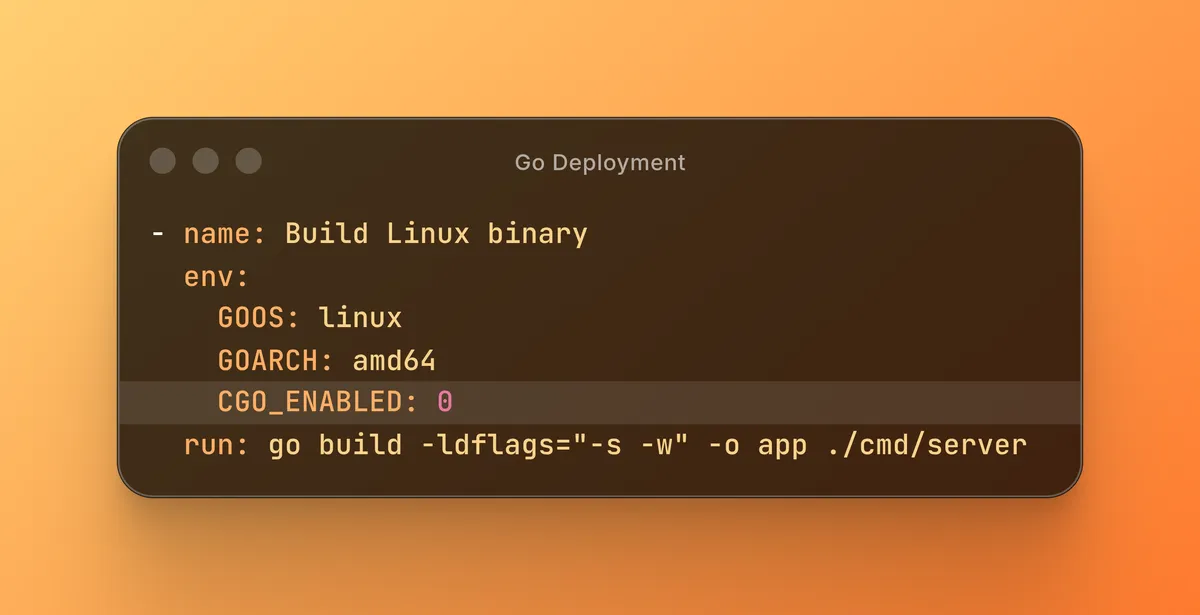
One key consideration is architecture. A binary built on macOS will not run on a Linux server unless it explicitly targets that platform. Relying on defaults often leads to broken deployments. Setting GOOS and GOARCH during the build step avoids this entire class of issues.
CGO is another factor. When CGO is enabled, the resulting binary may depend on system libraries that are not available in the target environment. For many APIs, disabling CGO produces a more portable and predictable binary. This choice favors reliability, which is usually the right tradeoff for backend services.
Binary size also matters. Large binaries take longer to transfer and slow down deployments. Stripping debug symbols reduces size without affecting runtime behavior, which makes deployments faster and simpler.
Finally, graceful shutdown handling is essential. Restarting a Go service without handling termination signals leads to dropped requests and client errors. A production-ready deployment must allow in-flight requests to complete before exiting. Automation depends on this behavior rather than replacing it.
The pipeline we build in this article accounts for these characteristics.
For local development or generic Linux hosts, you can run the same server without CI using:
- Build:
go build -o app ./cmd/server - Start:
./app
The GitHub Actions workflow uses a slightly stricter variant of this build (targeting Linux amd64 with CGO_ENABLED=0 and stripped debug symbols) to mirror production more closely.
Deployment Strategy
The deployment strategy is intentionally simple. Code must pass tests before anything is released. The build must target the correct platform. Deployment must be automated. The result must be verifiable.
There are many ways to deploy Go services, including virtual machines, container platforms, and managed application platforms. The automation approach shown here works across providers.
For this tutorial, we will use Seenode as the deployment target because it supports API-driven deployments that integrate cleanly with GitHub Actions. The focus, however, remains on the pipeline itself rather than the hosting platform.
GitHub Actions Workflow
The core of the setup is a GitHub Actions workflow stored at .github/workflows/deploy.yml. It runs on pull requests to main to run tests and build the binary, and on pushes to main to both run CI and trigger a deployment.
name: Deploy Go Service
on: push: branches: - main pull_request: branches: - main
jobs: deploy: runs-on: ubuntu-latest
steps: - name: Checkout code uses: actions/checkout@v4
- name: Set up Go uses: actions/setup-go@v5 with: go-version: "1.22"
- name: Run tests run: go test ./...
- name: Build Linux binary env: GOOS: linux GOARCH: amd64 CGO_ENABLED: 0 run: | go build -ldflags="-s -w" -o app ./cmd/server
- name: Trigger deployment if: github.event_name == 'push' && github.ref == 'refs/heads/main' run: | curl -X POST \ -H "Authorization: Bearer ${{ secrets.SEENODE_API_TOKEN }}" \ -H "Content-Type: application/json" \ -d '{"gitCommitSha": "${{ github.sha }}"}' \ "https://api.seenode.com/v1/applications/${{ secrets.SEENODE_APPLICATION_ID }}/deployments"Authentication is handled using an API token stored as a GitHub secret. You can generate an API token from the Seenode dashboard and store it securely in GitHub Actions.
https://seenode.com/docs/api/token
GitHub Secrets Required
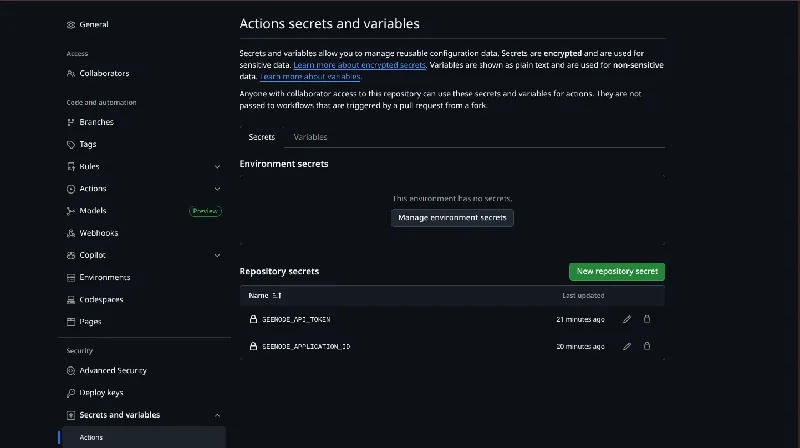
To make this workflow work end-to-end, you need to create two repository secrets in GitHub:
SEENODE_API_TOKEN– a Seenode API token generated from your Seenode dashboard.SEENODE_APPLICATION_ID– the application ID of the Seenode app you want to deploy to.
In GitHub, go to Settings > Secrets and variables > Actions > New repository secret and add both of these values before pushing to `main`. Without them, the deploy step will fail even if tests and the build succeed.
What the Workflow Runs on Pull Requests vs Main
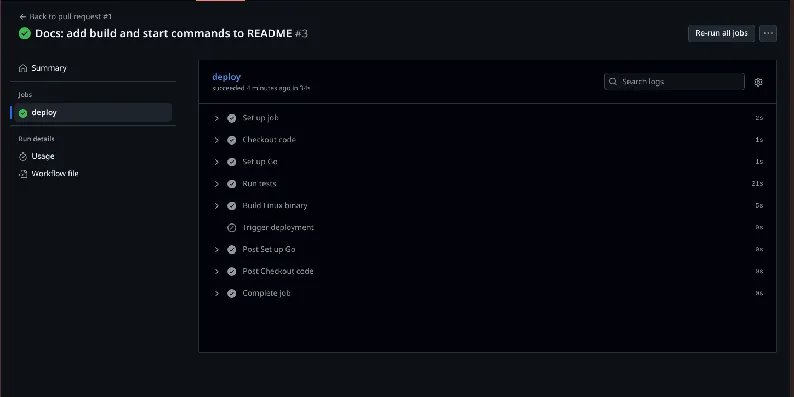
- When you open a pull request into main , this workflow runs tests and builds the Linux binary but skips the deployment step.
- When you push directly to main (for example by merging a PR), the same workflow runs tests and builds the binary and then triggers a deployment via the Seenode API.
This pattern lets you catch issues before merge, while keeping production deployments limited to your trusted main branch.
How the Workflow Works
Rather than treating the workflow as a single script, it helps to understand it as a sequence of safeguards.
The process begins by checking out the repository and setting up the correct Go version. This ensures the build environment is consistent and reproducible. Tests then run automatically. If any test fails, the workflow stops immediately and nothing is deployed.
Once tests succeed, the application is compiled for Linux with the correct architecture. CGO is disabled to improve portability, and debug symbols are stripped to reduce binary size. This produces a clean, production-ready artifact.
Finally, the workflow sends a request to the deployment API with the commit SHA. From that point on, the deployment platform takes over, handling the release and restart process.
Each step reduces the likelihood of a faulty release reaching production.
Handling Graceful Shutdowns
Automation alone cannot prevent downtime if the application exits abruptly.
A well-behaved Go server listens for termination signals and stops accepting new requests before shutting down. This allows in-flight requests to complete and avoids client-facing errors during restarts.
Without proper signal handling, even an automated deployment pipeline can cause brief outages. Graceful shutdown logic should be treated as a core part of the application rather than an afterthought.
What Happens When You Push to Main
Once everything is in place, deployments become routine.
You push code to the main branch. GitHub Actions starts the workflow automatically. Tests run. The Linux binary is built. A deployment request is sent. The service restarts cleanly. Health checks confirm that everything is running as expected.
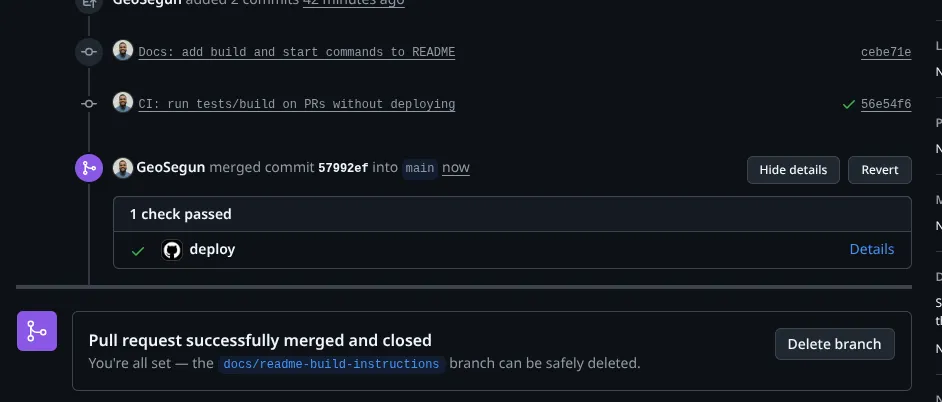
There are no SSH sessions, no manual restarts, and no guessing whether the correct binary was deployed. The entire process is visible and repeatable.
Common Issues and How to Address Them
Some issues still appear occasionally, but automation makes them easier to diagnose.
If a binary fails to start on the server, the most common cause is an architecture mismatch. Ensuring GOOS and GOARCH are set correctly during the build step usually resolves the problem.
If requests fail briefly after deployment, the service is likely not shutting down gracefully. Adding proper signal handling prevents this.
If deployments do not trigger, check that the workflow is listening to the correct branch. Branch filters are a frequent source of confusion.
Authentication errors typically come down to misconfigured secrets. Double-check the API token and application ID stored in GitHub Actions.
With automation in place, these issues surface quickly and consistently.
Final Thoughts
Automating Golang deployments removes an entire class of problems introduced by manual processes. Architecture mismatches, forgotten steps, and inconsistent restarts disappear when deployments follow a fixed pipeline.
GitHub Actions provides a solid foundation for this workflow. Once configured, deployments become predictable, repeatable, and boring.

That is exactly what production systems should be. Here’s a full guide to deploying GoLang on Seenode in minutes.